Deceptive patterns, also known as dark patterns, are design tactics used in websites and apps that trick users into doing things they might not otherwise do (Brignull, 2010).
These manipulative practices can lead to unintended actions such as signing up for subscriptions, sharing more information than intended, or making unnecessary purchases.
Understanding these patterns is essential for both recognizing and avoiding unethical design practices.
Example 1. Nagging
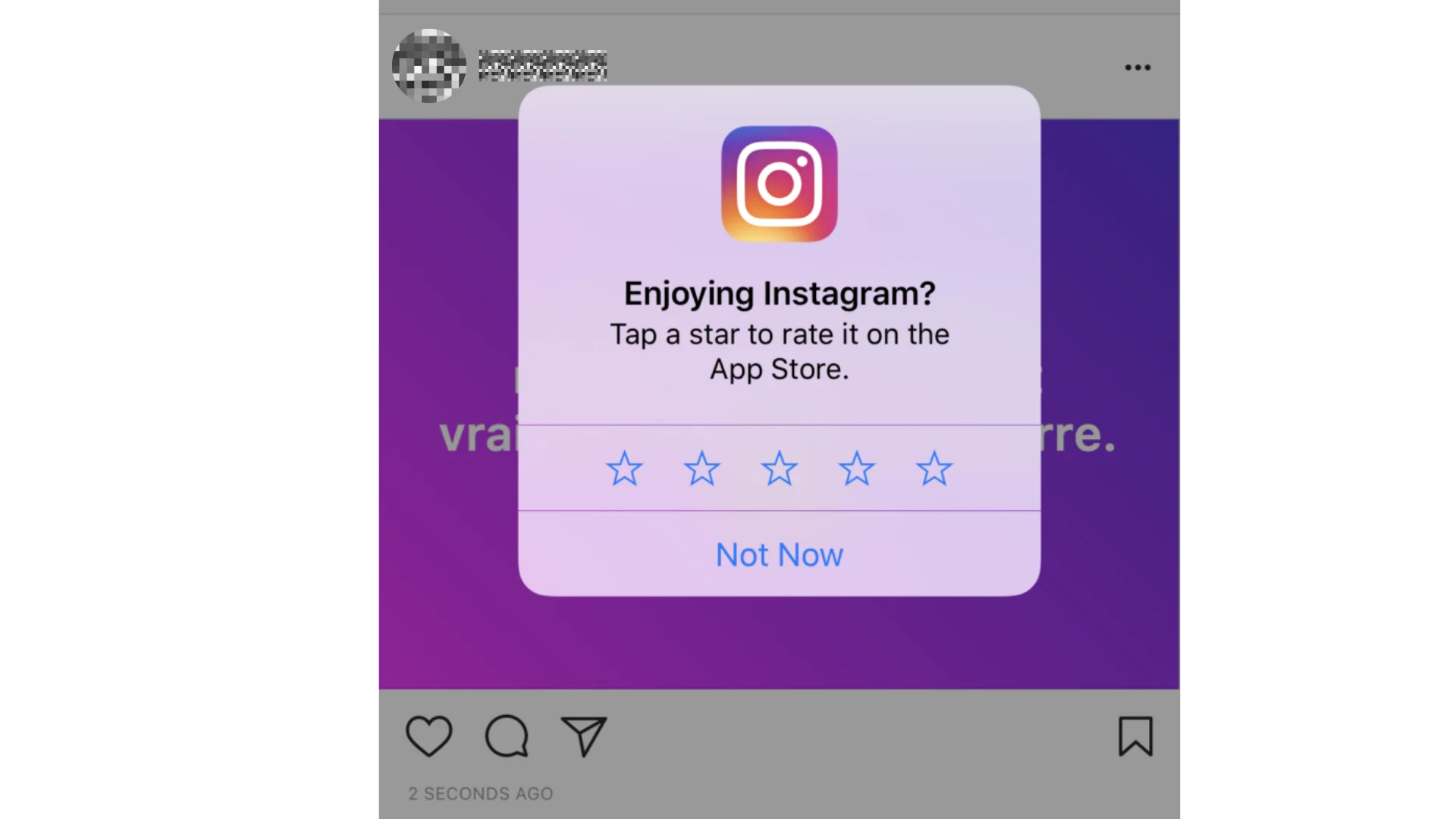
This example is called ‘nagging’.
They are asking you to rate the app, but the only options they give you are to rate it now or to say “Not Now”. There is no option to say “Never ask me again”.
This means that if you don’t want to rate the app right now, you have to tap “Not Now”, but they can ask you again later. They hope that by asking you repeatedly, you will eventually give in and rate the app.
Image Source: IXD@Pratt, spotted on: Instagram.com
Example 2. Confirm-Shaming
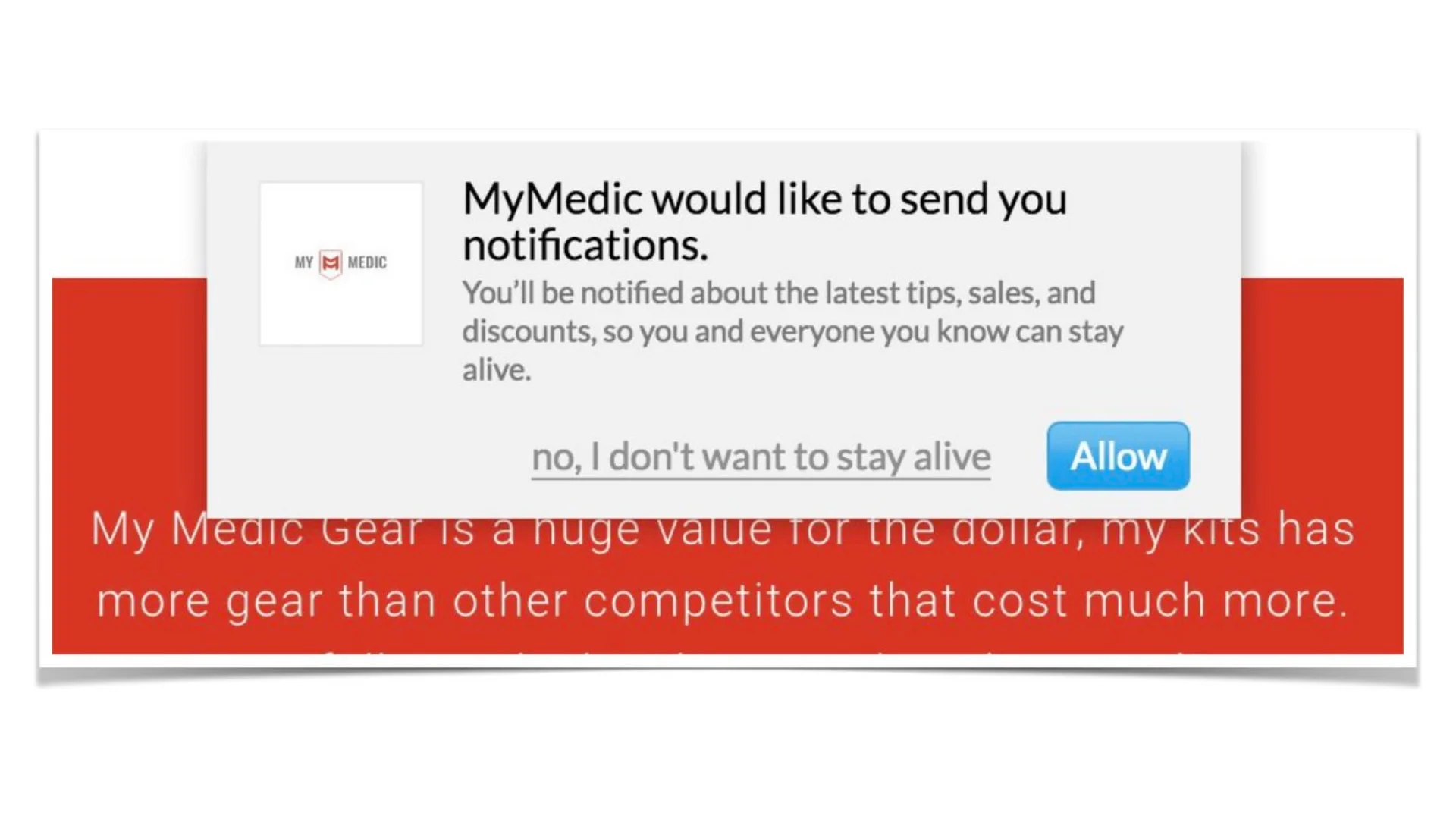
This is an example of confirm-shaming.
Instead of a simple “No, thanks” or “Don’t Allow” button, the only option to decline notifications is labeled “no, I don’t want to stay alive.”
This wording aims to guilt-trip the user into feeling that they’re making a foolish or reckless decision by not signing up for the notifications.
Image Source: @axbom on X, spotted on: MyMedic
Example 3. Forced Action
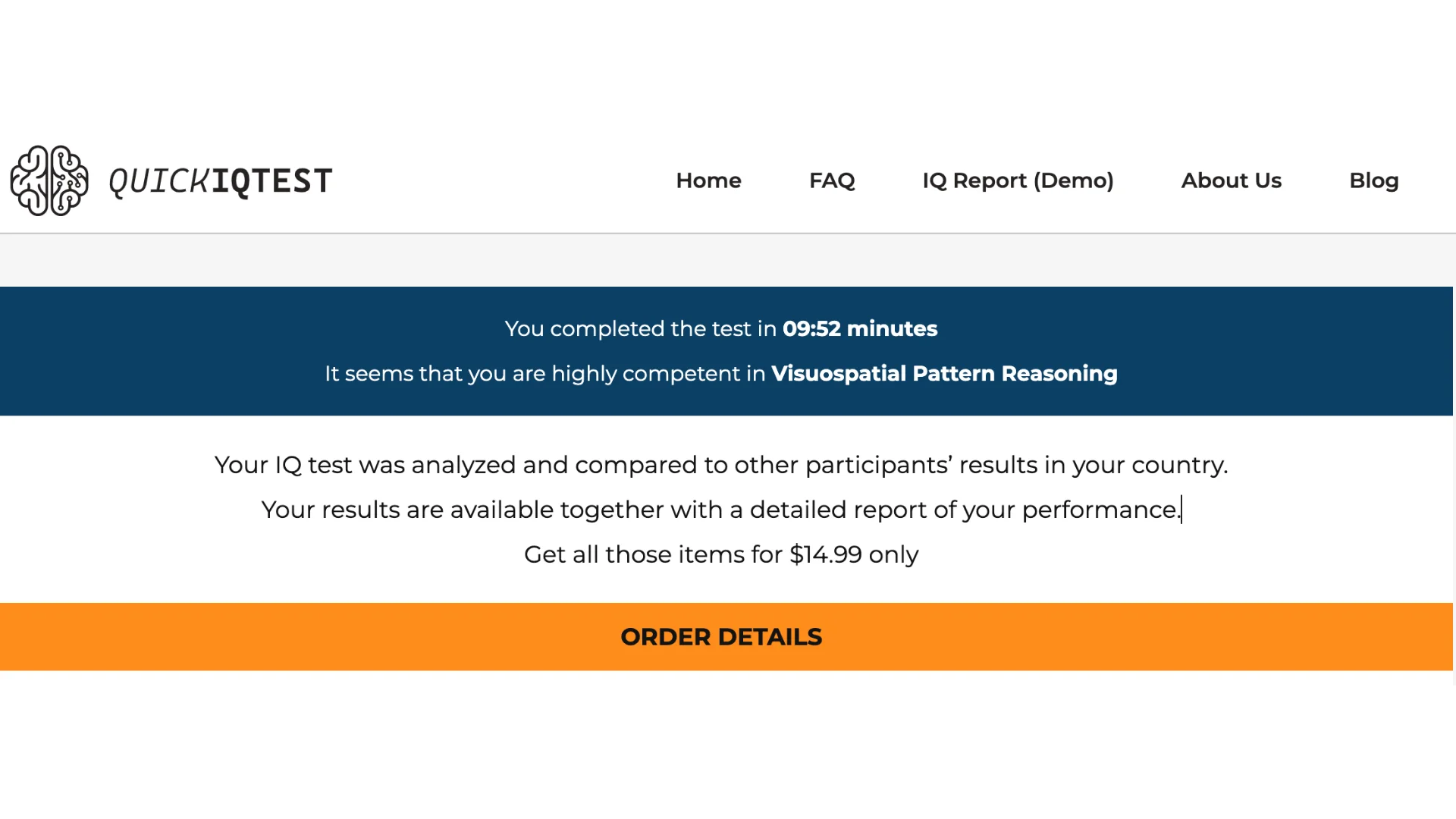
This is an example of a forced action dark pattern.
The user has already invested their time and effort to complete the IQ test. This creates a feeling of being forced into a transaction to get what they worked for. The user might feel obligated to pay since $14.99 to see their results as they’ve already come this far, even if they didn’t initially intend to spend any money.
Image Source: self-documented, spotted on: QUICKIQTEST
Example 4. Hidden Costs
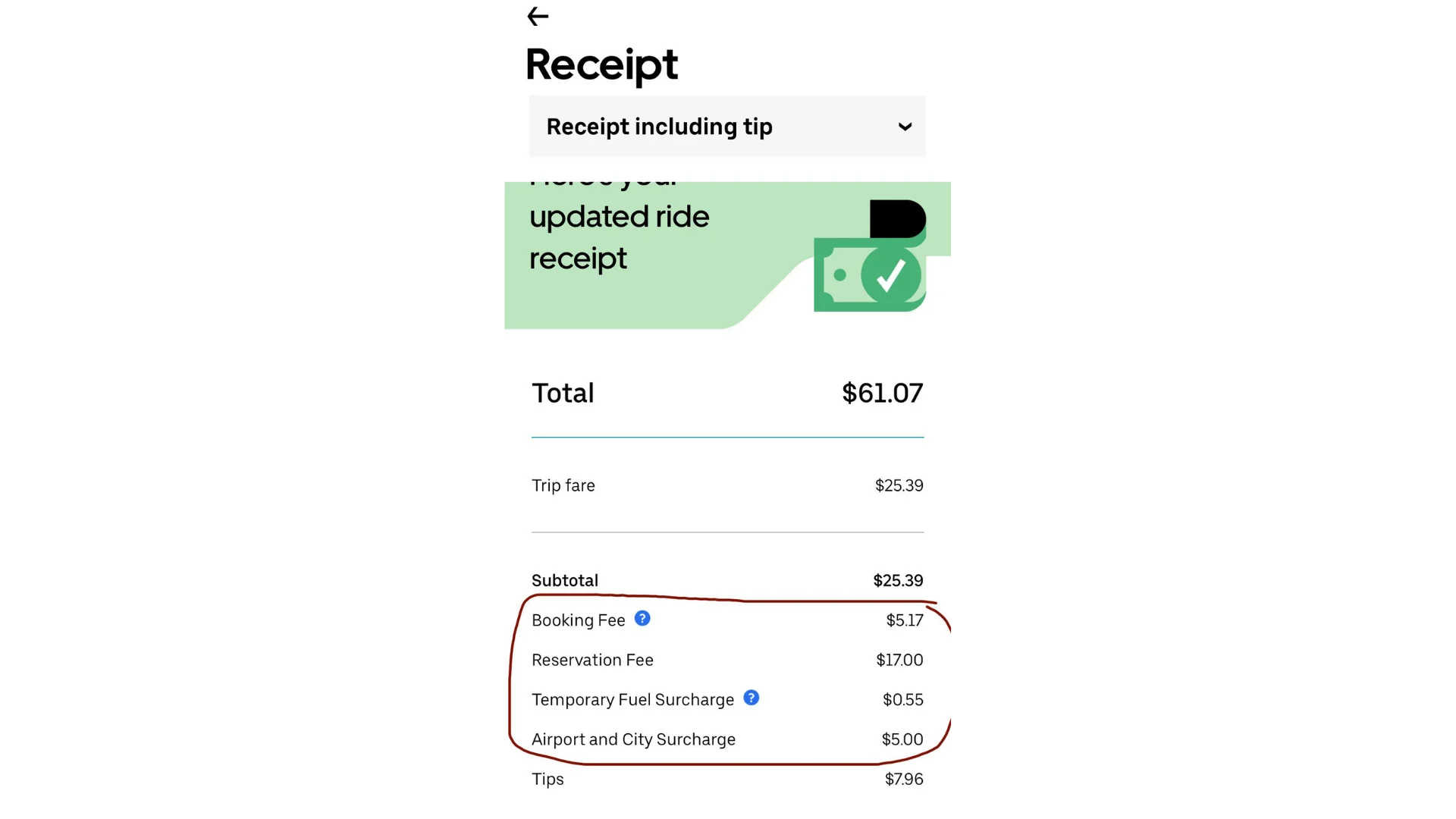
This example shows the “hidden costs” dark pattern. Additional fees like the booking fee, reservation fee, fuel surcharge, and airport/city surcharge are not included in the initial fare estimate, misleading users about the true cost of the ride until after it’s completed.
Image Source: JennieFairplay /r/mildlyinfuriating on Reddit, spotted on: UBER
Example 5. Preselection
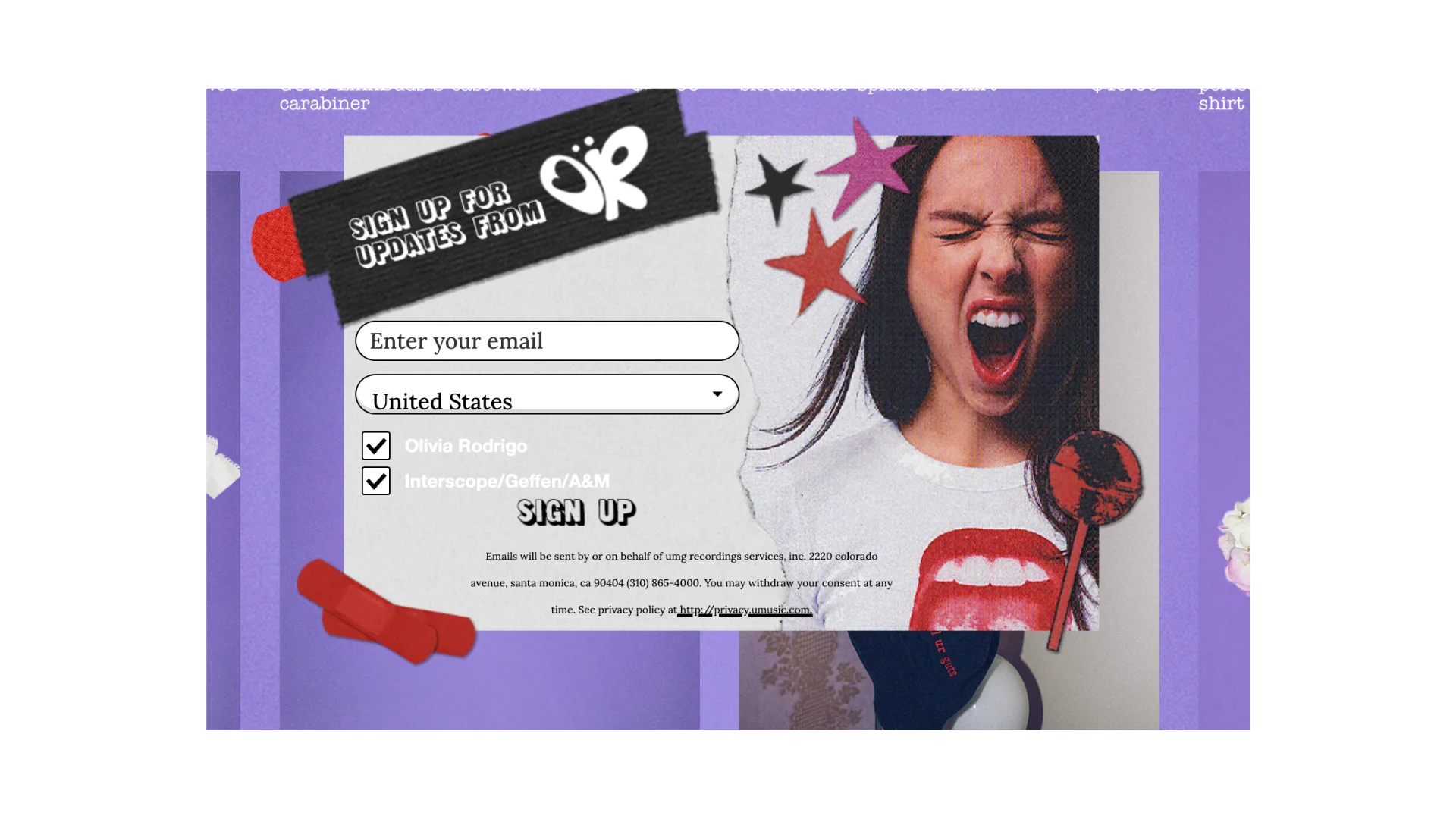
The pre-ticked boxes manipulate the user into inadvertently opting into receiving offers from partners, exploiting the user’s potential default option bias.
This is done by assuming the user’s consent without explicitly asking for it.
If users want to finish quickly, they might overlook the pre-selected options or feel obligated to leave them checked, leading them to receive unwanted communications.
Image Source: self-documented, spotted on: store.oliviarodrigo.com
Example 6. Roach Motel
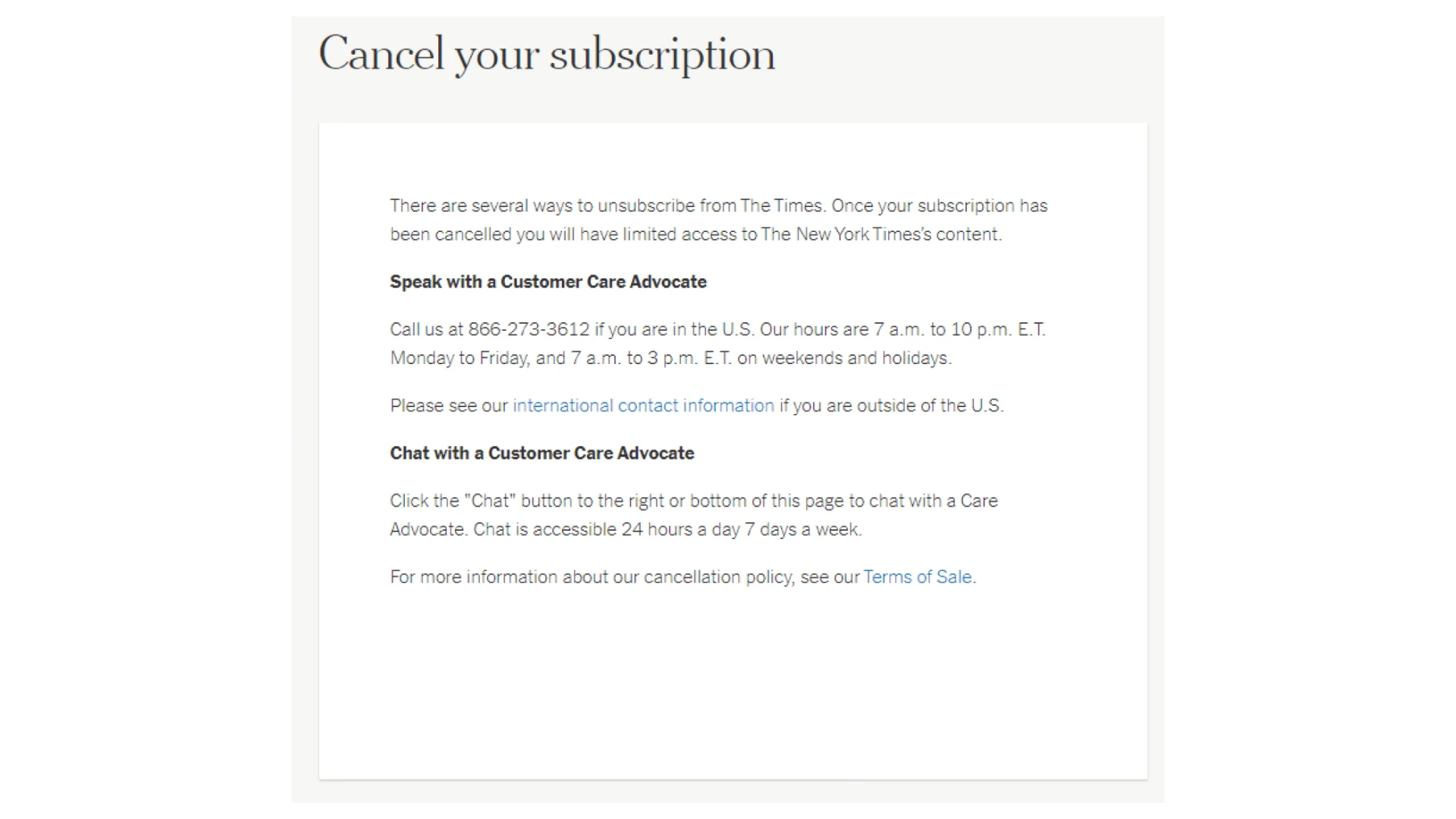
This image demonstrates a “roach motel” dark pattern, where it’s easy to get into a situation (subscribing) but hard to get out (canceling).
The cancellation process requires contacting customer service via phone or chat, making it more difficult than a simple online cancellation button.
This creates friction and discourages users from canceling, potentially leading them to continue paying for a service they no longer want.
Image Source: @darkpatterns on X, spotted on: The New York Times
Example 7. Obstruction
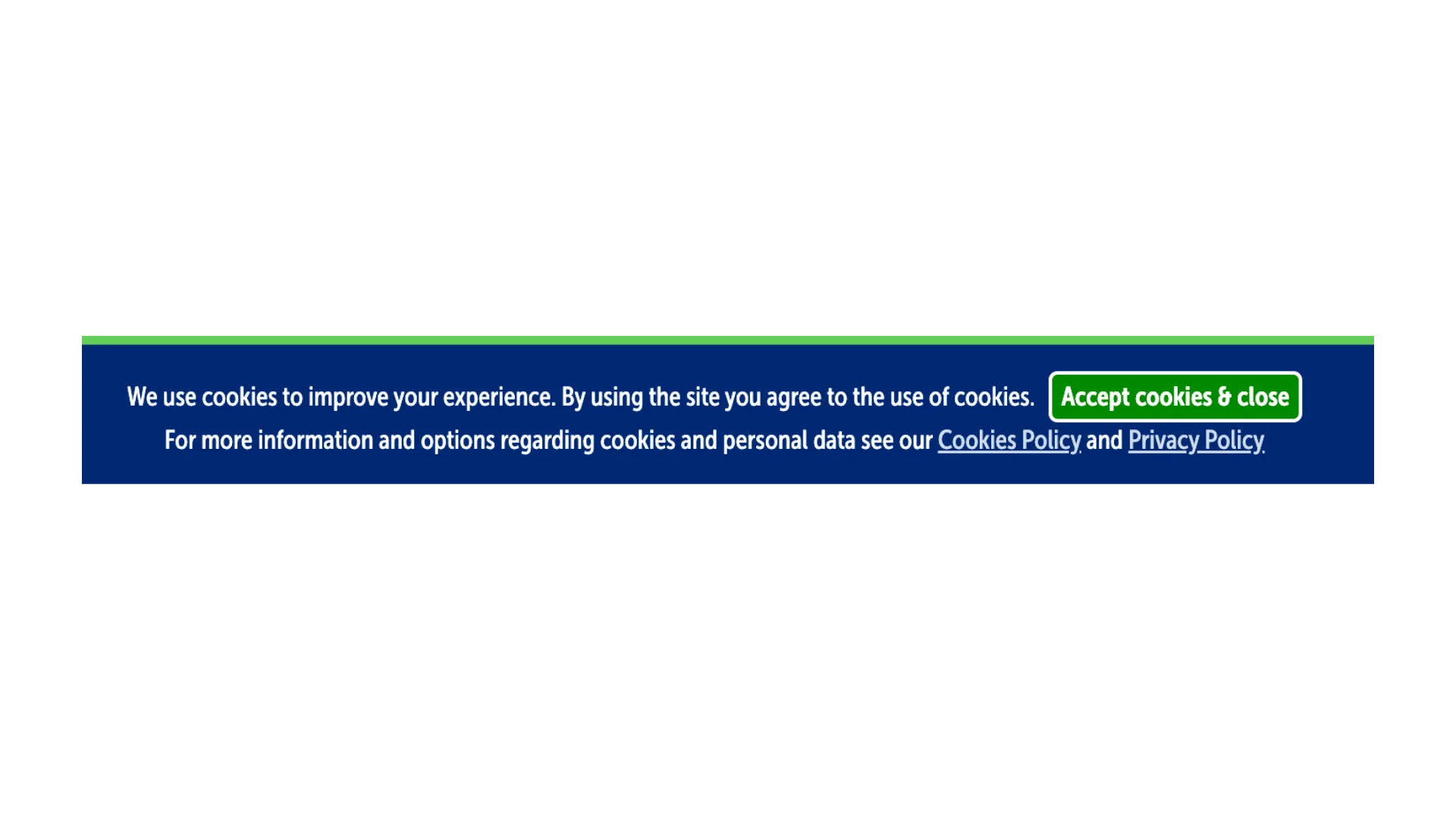
This example showcases the “Obstruction” dark pattern. The cookie banner only provides one clear option: “Accept cookies & close.” There is no readily available option to reject cookies, making it difficult for users who want to decline or customize their cookie preferences.
While there are links to the Cookies Policy and Privacy Policy, they are not as prominent as the “Accept” button, leading users to simply accept the default option out of convenience.
Image Source: self-documented, spotted on: Softpedia
Example 8. Fake Urgency
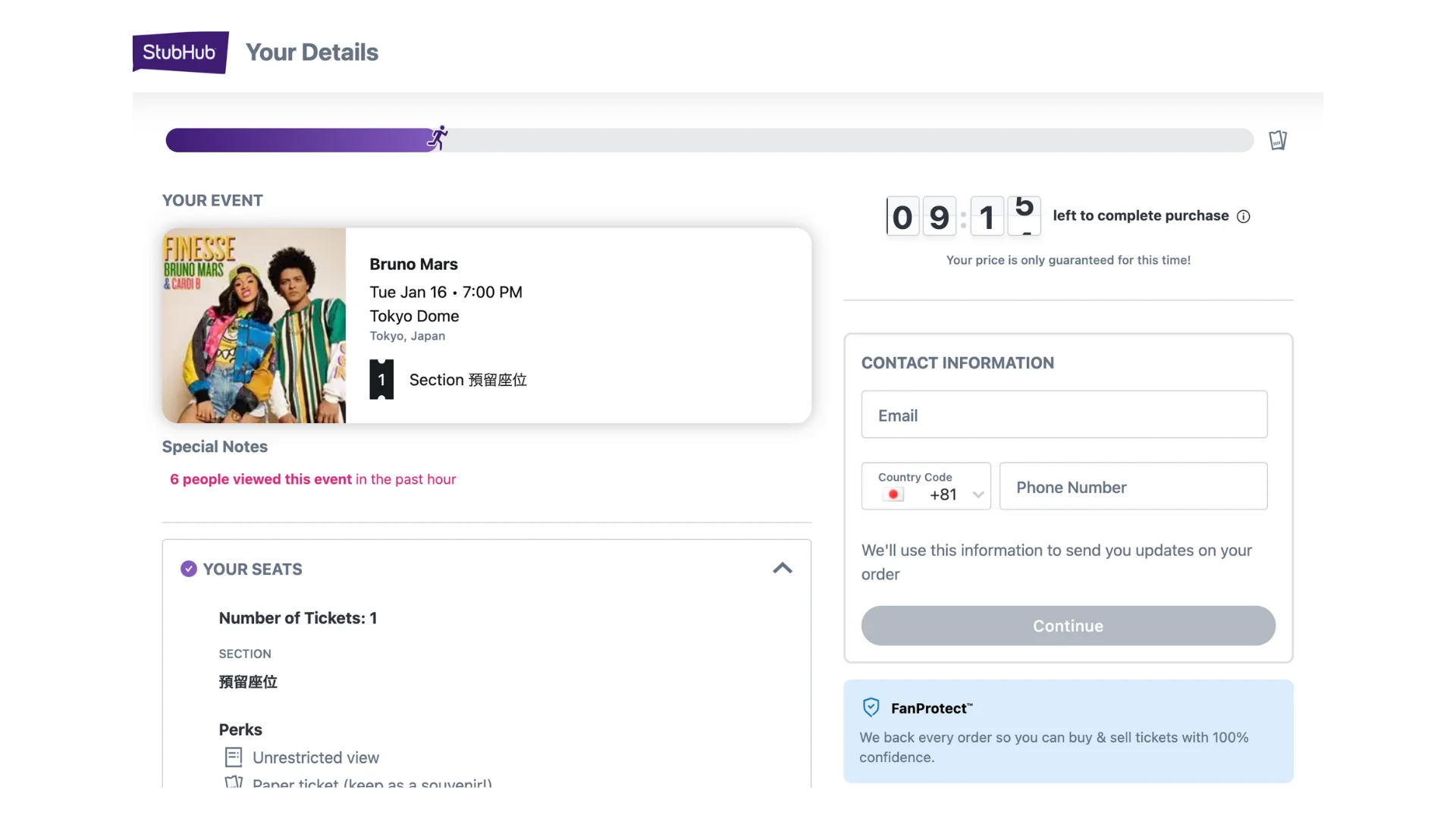
This is a common example of the “fake urgency” dark pattern. The page displays a timer that indicates “9:15 left to complete purchase,” creating a sense of urgency to make the user feel like they need to book quickly before tickets sell out.
The timer is designed to pressure the user into making a quick decision without fully considering their options. If the user refreshes the page or returns later, the timer will likely reset, further illustrating that it’s not a real deadline.
Image Source: self-documented, spotted on: StubHub
Example 9. Fake Scarcity
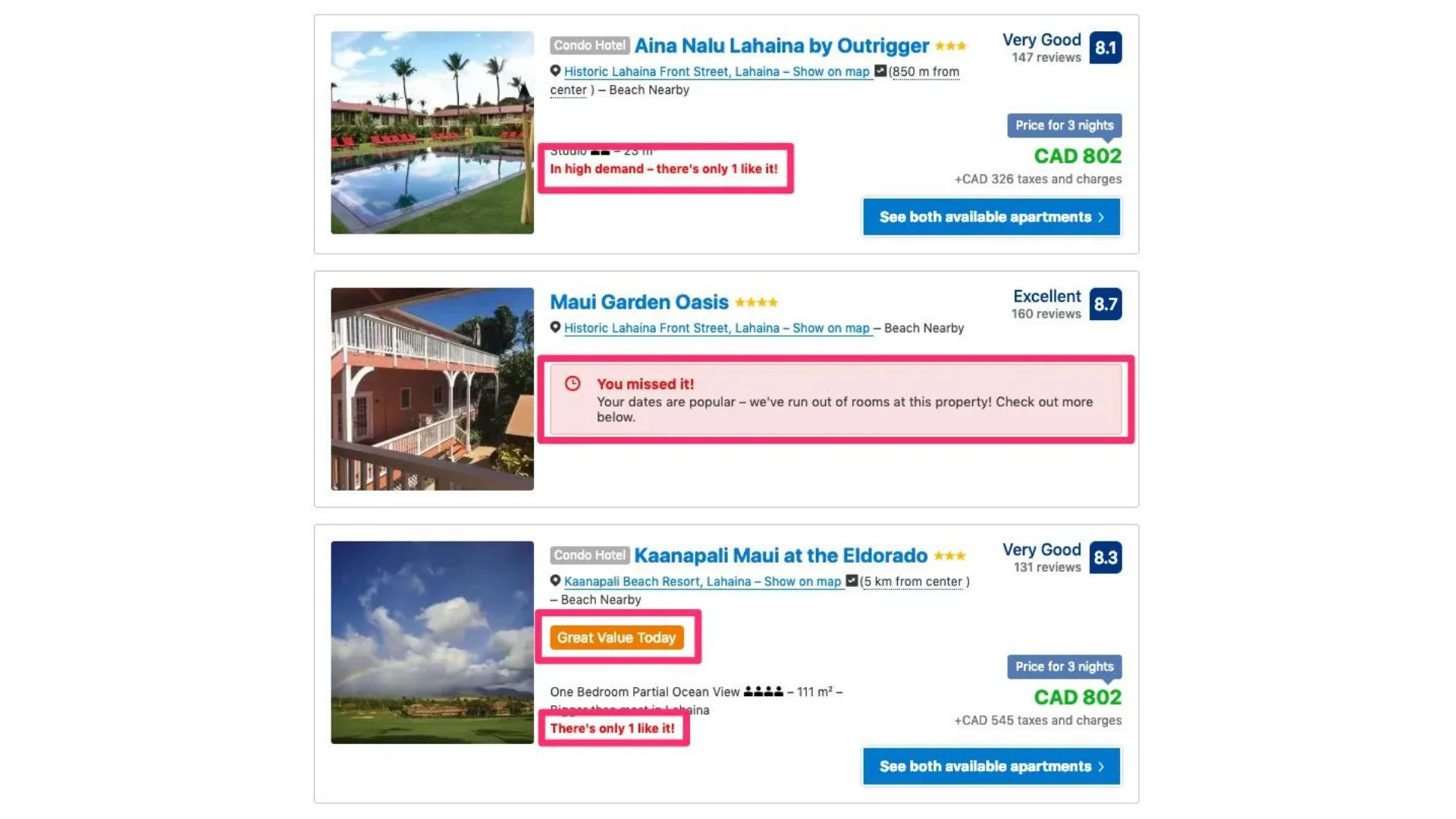
Fake Scarcity: The phrases “In high demand – there’s only 1 like it!” and “You missed it! Your dates are popular – we’ve run out of rooms at this property!” create a false sense of urgency and limited availability, pressuring users to book quickly.
Image Source: Brent Johnson on Medium, spotted on: Booking.com
Example 10. Sneaking
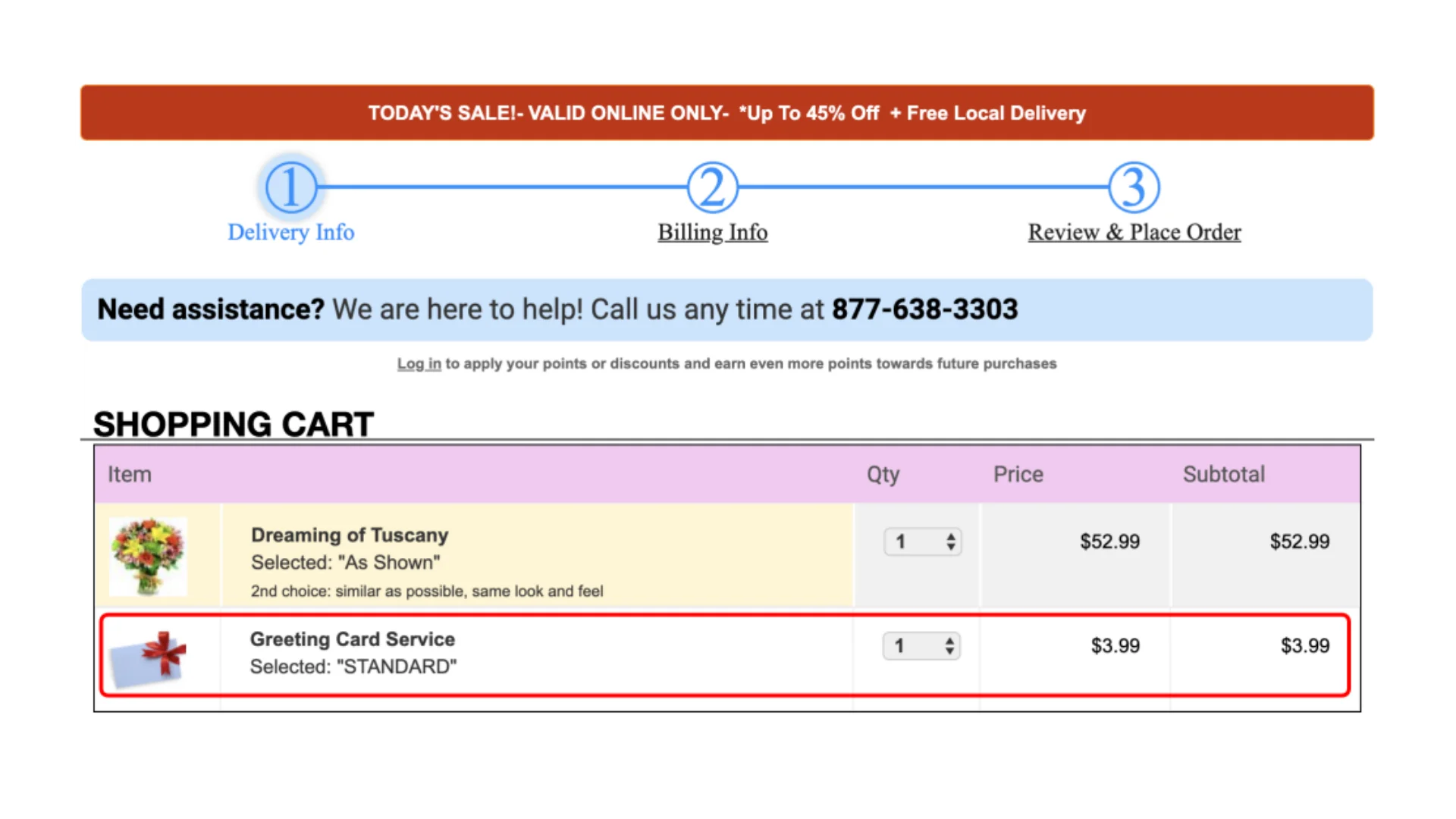
This image demonstrates the “sneak into basket” deceptive pattern. The “Greeting Card Service” is automatically added to the shopping cart with a pre-selected “Standard” option. This means the customer may inadvertently purchase this additional service without explicitly choosing it.
While it’s not hidden, the placement and pre-selection make it easy to overlook, especially since it’s not directly related to the main “Dreaming of Tuscany” item. This tactic increases the order total without the customer’s clear consent.
Image Source: webtransparency.cs.princeton.edu, spotted on: avasflowers.net